Architects · Reusable Template
Product Delivery Plan: Complete Gantt Template
A downloadable Excel and Google Sheets-compatible delivery plan with WBS, feature dependencies, milestones, team capacity, progress, QA workload and a RAID log.
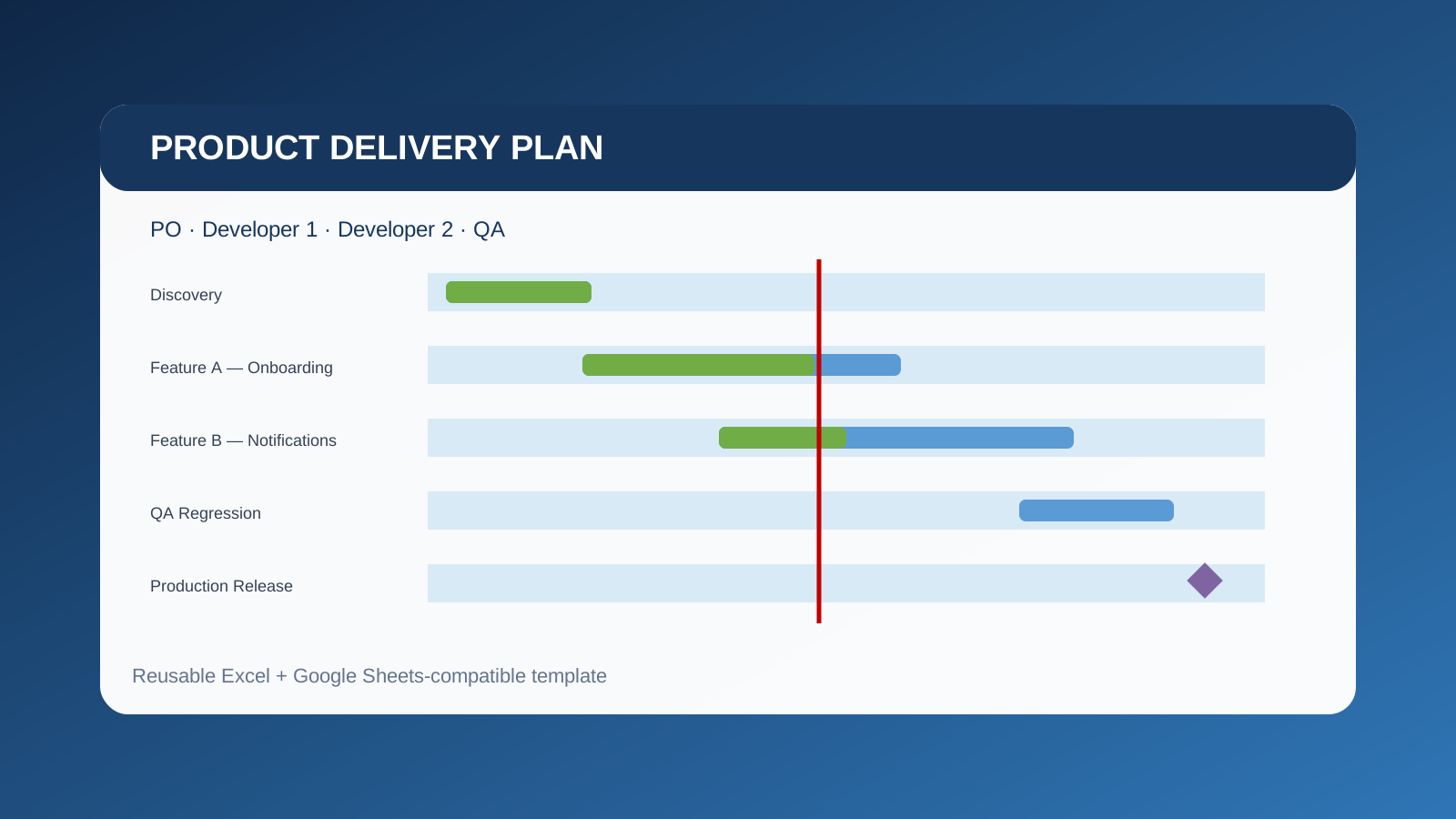
This is not a step-by-step lesson on drawing bars in Excel. It is a reusable planning artifact: a realistic example of how a Product Owner can organize a software delivery when the available team is one PO, two developers and one QA.
What the plan is designed to answer
A useful delivery plan should make more than dates visible. It should show what must happen first, which work can run in parallel, where a shared specialist becomes a constraint, and which decision belongs to the Product Owner rather than to development or QA.
| Role | Primary responsibility in this example | Planning constraint |
|---|---|---|
| Product Owner | Vision, refinement, acceptance criteria, prioritization and release decisions | Must answer questions quickly enough to avoid blocking both developers |
| Developer 1 | Onboarding API, shared integration and release support | Also contributes to the second feature and defect buffer |
| Developer 2 | Onboarding UI and notification service | Parallel work reduces duration but increases integration coordination |
| QA | Test design, feature execution and end-to-end regression | Only one QA means both features cannot enter intensive testing at the same time without a queue |
Interactive workbook preview
The panel below is a read-only web rendering of the same project data included in the downloadable workbook. Filter by owner or status, search a feature, and change the horizontal scale. The red vertical line is the example status date; green is completed work and blue is remaining planned work.
How the example is structured
The project starts with discovery and a baseline milestone. Feature A and Feature B then overlap so the two developers are not artificially serialized. QA design begins before development finishes, but execution is staggered because a single QA cannot fully test both features at once. The release phase begins only after both Product Owner acceptance milestones are complete.
Feature planning instead of a flat task list
Each feature contains refinement, design or architecture, implementation, integration, QA design, QA execution and Product Owner acceptance. That makes the plan useful as a delivery model rather than merely a calendar.
Dependencies are visible and editable
The predecessor column documents the work that must finish first. In project-management terms, dependencies drive the schedule: moving a predecessor should force a review of its successors. The workbook keeps the dependency IDs visible even though it intentionally avoids macros, making it safer to reuse in Excel or Google Sheets.
Capacity is a first-class constraint
The capacity sheet compares assigned effort against the available hours for each role. The example intentionally exposes the likely bottleneck: development can happen in parallel, but final QA execution and regression share one person. That is the point where a Product Owner may need to change scope, sequence or release timing.
What to change when reusing it
- Replace the example feature names and acceptance criteria with your real scope.
- Adjust start dates, workday durations, effort and progress. Finish dates use spreadsheet formulas.
- Keep milestones for scope baseline, feature acceptance, go/no-go and production deployment.
- Review the capacity sheet before allowing several features to converge on QA simultaneously.
- Record risks, assumptions, issues and external dependencies in the RAID Log rather than hiding them in meeting notes.
Why keep this in a personal technical repository?
The value is not remembering how to color a timeline. The value is having a proven starting point available when a project suddenly needs a delivery plan, a resource discussion or a stakeholder-ready schedule. Copy the workbook, rename the features and spend the saved time reasoning about scope, dependencies and capacity.
Reference concepts used
The template follows conventional Gantt and work-breakdown practices: tasks have owners, dates and progress; milestones mark decisions; dependencies express sequence; and resource views reveal allocation conflicts. Microsoft’s own Gantt guidance emphasizes dates, categories, owners, progress and resource overlaps, while its project documentation treats linked tasks and predecessors as drivers of the schedule.